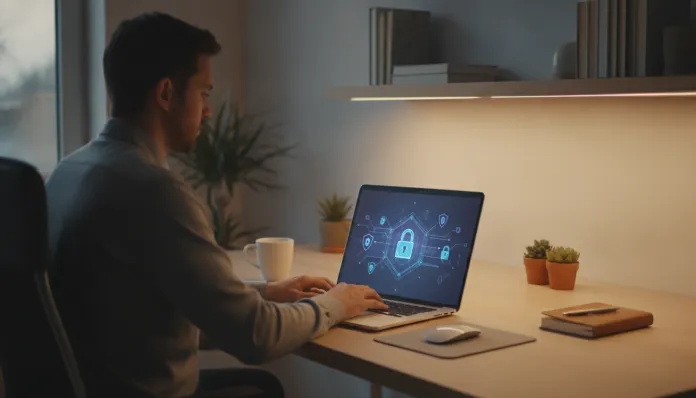
Imagine waking up in the morning, grabbing your phone to check your email, and realizing someone accessed your bank account overnight. Or receiving a call from a friend asking why you’re requesting money on WhatsApp—when you never sent any message. Unfortunately, these situations are a reality for millions of Brazilians every year and have a common point: the lack of adequate protection of personal data online.
Brazil is one of the countries with the highest number of connected users in the world, and this digital prominence comes at a price. Online scams, data leaks, and account invasions have become everyday risks for anyone using social networks, banking apps, streaming services, or simply browsing the web. The good news is that most of these attacks can be avoided—or at least significantly hindered—with simple and largely free measures.
In this article, you’ll find a practical guide to protecting your personal information on the internet. You don’t need to be a tech expert. Just pay attention, spend a few minutes of your day, and be willing to adopt new digital habits.
Why Protecting Your Data Matters So Much
Personal data is now one of the most valuable assets in the digital economy. Your name, CPF, address, consumption habits, location, and even your search history have value for companies, advertisers, and, of course, criminals.
When this data falls into the wrong hands, the consequences can range from receiving spam and unwanted calls to more serious situations, such as opening credit in your name, identity theft, and emptying bank accounts. In Brazil, the General Data Protection Law (LGPD), in effect since 2020, establishes rules for the use of personal data by companies—but individual protection still largely depends on the user.
Passwords: The First Line of Defense
A password is the gateway to almost everything you do online. And, although it seems obvious, many people still use weak combinations like “123456,” birth dates, or their own name.
How to Create Strong Passwords
Use at least 12 characters, combining uppercase, lowercase letters, numbers, and symbols.
Avoid dictionary words or obvious personal information.
Create a passphrase: for example, “CoffeeWithMilk@7am!” is long, easy to remember, and hard to guess.
Never reuse the same password for different services. If one account is compromised, the others remain protected.
Password Managers
Memorizing dozens of complex passwords is humanly difficult. That’s why there are password managers—apps that store and automatically fill in your passwords, protected by a master password. Popular and reliable examples include Bitwarden (free and open-source), 1Password, and LastPass. With them, you only need to remember one strong password to access all the others.
Two-Factor Authentication: The Second Lock
Even with a strong password, there is risk. That’s where two-factor authentication (2FA) comes in. It works like this: besides the password, you need to confirm your identity through a second method—a code sent via SMS, generated by an app, or even a physical key.
This means that even if someone discovers your password, they won’t be able to access your account without the second factor. It’s one of the most effective digital security features available to the average user.
How to Activate 2FA
Access the security settings of the desired platform (Gmail, Instagram, digital bank, etc.).
Look for the option “Two-Step Verification” or “Two-Factor Authentication.”
Choose the preferred method: an authenticator app (like Google Authenticator or Authy) is more secure than SMS.
Follow the instructions to set it up and store the recovery codes in a safe place.
Enable 2FA on at least your most sensitive accounts: main email, bank, social networks, and any service that stores financial data.
Beware of Phishing: The Digital Bait Scam
Phishing is one of the oldest and most effective scam techniques on the internet. The criminal poses as a company, bank, or known person to deceive the victim and steal their data or money.
The most common channels are email, SMS, WhatsApp, and even phone calls. The messages often create urgency: “Your account will be blocked,” “You have a package on hold,” or “Click here to confirm your data.”
How to Identify and Avoid Phishing
Check the sender carefully: fake emails often have addresses similar to real ones but with swapped letters or different domains.
Do not click on suspicious links: if you receive a message asking you to access your account, open the site by typing the address directly into the browser.
Be wary of excessive urgency: legitimate companies rarely request immediate actions under threat of blocking.
Confirm through another channel: if you receive a suspicious message from a “bank” or “friend,” call or send a message through another means to confirm.
Never provide passwords or codes by phone or message: no serious bank or service asks for this.
Public Wi-Fi Networks: Be Careful When Connecting
Airports, cafes, malls, hotels—public Wi-Fi networks are everywhere and very convenient. But they also pose a real risk: on open networks, malicious individuals can intercept the data traffic of other connected users.
Best Practices on Public Networks
Avoid accessing sensitive services (bank, email, social networks) on public Wi-Fi networks.
Use a VPN (Virtual Private Network): this type of app creates an “encrypted tunnel” between your device and the internet, making interception difficult. There are free and paid options, like ProtonVPN and Mullvad.
Prefer mobile data (4G/5G) when you need to access important accounts outside the home.
Disable automatic connection to Wi-Fi networks in your phone’s settings.
Updates and Apps: Don’t Ignore the Alerts
That annoying notification asking you to update the system or app has a reason to be. Software updates often fix security vulnerabilities—flaws that hackers can exploit to invade devices.
Keep the operating system updated (Android, iOS, Windows, macOS).
Update apps regularly, especially banking, email, and social media apps.
Download apps only from official stores (Google Play, App Store). Apps from unknown sources may contain malware.
Review app permissions: a game doesn’t need access to your camera, microphone, or contacts. Revoke unnecessary permissions in your phone’s settings.
Uninstall apps you no longer use: each installed app is a potential entry point.
Privacy on Social Networks: What You Share Matters
Social networks are fertile ground for collecting personal data—both by the platforms themselves and by scammers. Seemingly harmless information, like your city, birthday, children’s names, or where you work, can be used to create fake profiles or answer security questions for accounts.
Social Media Best Practices List
Review your privacy settings periodically. On Instagram, Facebook, and other platforms, you can limit who sees your posts.
Do not accept requests from unknown people without verifying the profile.
Be cautious with quizzes and “personality tests”: many collect personal data without the user realizing it.
Do not post documents, tickets, or sensitive information in photos (even if they seem irrelevant).
Enable login alerts to be notified when someone accesses your account from a new device.
Conclusion: Digital Security is a Habit, Not an Event
Protecting your data online is not a task you do once and forget. It’s a set of habits that, practiced consistently, drastically reduce the chances of you becoming a victim of scams, invasions, or leaks.
Start with the most urgent: review your most important passwords, enable two-factor authentication on your email and bank, and be wary of messages that demand immediate action. Then, move on to other points—public networks, updates, app permissions, and privacy on social networks.
In 2026, with digitalization increasingly present in daily life—from payments to work, through health and entertainment—taking care of your data is as important as locking your front door. Technology offers powerful tools for this. The next step is yours.
Para fornecer as melhores experiências, usamos tecnologias como cookies para armazenar e/ou acessar informações do dispositivo. O consentimento para essas tecnologias nos permitirá processar dados como comportamento de navegação ou IDs exclusivos neste site. Não consentir ou retirar o consentimento pode afetar negativamente certos recursos e funções.
Funcional
Always active
O armazenamento ou acesso técnico é estritamente necessário para a finalidade legítima de permitir a utilização de um serviço específico explicitamente solicitado pelo assinante ou utilizador, ou com a finalidade exclusiva de efetuar a transmissão de uma comunicação através de uma rede de comunicações eletrónicas.
Preferências
O armazenamento ou acesso técnico é necessário para o propósito legítimo de armazenar preferências que não são solicitadas pelo assinante ou usuário.
Estatísticas
O armazenamento ou acesso técnico que é usado exclusivamente para fins estatísticos.O armazenamento técnico ou acesso que é usado exclusivamente para fins estatísticos anônimos. Sem uma intimação, conformidade voluntária por parte de seu provedor de serviços de Internet ou registros adicionais de terceiros, as informações armazenadas ou recuperadas apenas para esse fim geralmente não podem ser usadas para identificá-lo.
Marketing
O armazenamento ou acesso técnico é necessário para criar perfis de usuário para enviar publicidade ou para rastrear o usuário em um site ou em vários sites para fins de marketing semelhantes.