
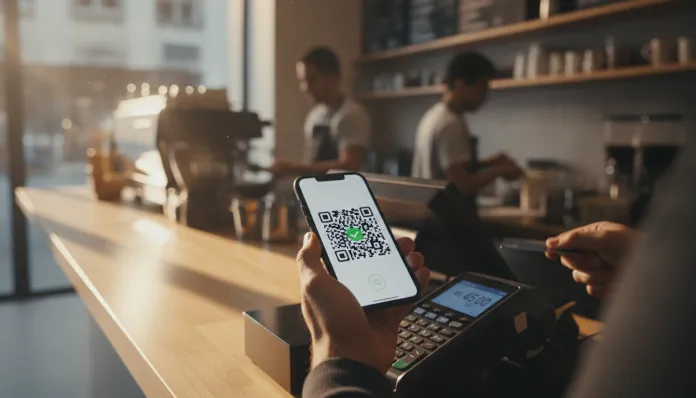
Imagine having to go to a bank branch, stand in line, fill out a form, and even pay a fee just to transfer money to a friend or pay a bill. This was the reality for millions of Brazilians before November 2020, when the Central Bank of Brazil officially launched Pix — an instant payment system that permanently changed how the country handles money daily.
Since then, Pix has become part of the routine for a significant portion of the Brazilian population, used for paying for lunch, splitting bar tabs, receiving salaries, shopping in physical and online stores, and even paying bills. The speed, free service for individuals in most cases, and 24/7 availability have made Pix one of the most widely adopted instant payment systems globally, considering the tool’s lifespan.
However, along with all this convenience came legitimate questions and concerns: how does Pix really work? Is it safe? What scams exist, and how can you protect yourself? In this article, we answer these questions clearly and directly so you can use Pix with peace of mind and confidence.
What is Pix and How Does It Work?
Pix is an instant payment and transfer system created and regulated by the Central Bank of Brazil (BCB). Unlike TED (Electronic Transfer Available) and DOC (Credit Order Document), which had limited hours and could take up to a business day to clear, Pix processes transactions in up to 10 seconds, at any time of day or night, including weekends and holidays.
The system operates through an infrastructure managed by the Central Bank itself, called the SPI (Instant Payment System). All financial institutions — traditional banks, digital banks, fintechs, and credit cooperatives — with more than 500,000 customers are required to offer Pix. Smaller ones can voluntarily join.
The transaction occurs directly between the accounts of the parties involved, without intermediaries, which explains both the speed and the low operational cost — which is passed on as free service for individuals in most situations.
What is a Pix Key and How to Register It
A Pix key is an identifier that replaces complete bank details (branch, account, digit) when making or receiving a transfer. Instead of providing all these details, simply share your key.
There are four types of Pix keys:
- CPF or CNPJ — for individuals and businesses, respectively
- Email — the email address registered with the institution
- Cell phone number — the number with area code
- Random key — an automatically generated alphanumeric code, ideal for those who do not want to share personal data
Each CPF can have up to five Pix keys registered in different institutions. Each CNPJ can have up to 20 keys. Registration is done directly in your bank or financial institution’s app, in the section dedicated to Pix.
How to Register Your Pix Key (Step by Step)
- Open your financial institution’s app
- Access the “Pix” or “Pix Area” section
- Select the option “My keys” or “Register key”
- Choose the desired key type (CPF, email, phone, or random)
- Confirm the registration, usually through a verification code sent by SMS or email
- Done — your key is active and can be shared to receive payments
How to Make and Receive Payments with Pix
Making a Pix is simple and intuitive. The process varies slightly between institutions, but the general flow is:
- Access the Pix area in your bank’s app
- Choose the “Transfer” or “Pay” option
- Enter the recipient’s Pix key, point the camera at a QR Code, or manually enter the bank details
- Enter the amount to be transferred
- Check the recipient’s details (name and institution appear automatically)
- Confirm with your password or biometrics
- Wait for confirmation — generally, the money arrives in seconds
To receive a Pix, simply share your registered key or generate a QR Code through the app. Many stores and commercial establishments use printed or displayed QR Codes to facilitate payment.
Special Pix Modalities
In addition to simple transfers, the Central Bank has incorporated features into the system over time:
- Pix Withdrawal and Pix Change: allow cash withdrawals at accredited establishments or receiving change in cash when paying with Pix at participating stores
- Scheduled Pix: allows scheduling a transfer for a future date
- Automatic Pix: a feature that allows authorizing recurring debits, such as subscriptions and monthly fees, directly through the Pix key
- Pix Charge: generates a QR Code with value, due date, and discount or interest information, functioning similarly to a bank slip
Limits and Fees: What You Need to Know
For individuals, Pix is free in the vast majority of situations: transfers between people, payments to establishments, and receipts have no cost. Some institutions may charge for transactions made in specific environments, such as computer browsers (outside the app), but this varies according to each bank’s terms.
For businesses, institutions may charge fees, just as they do with TEDs and DOCs.
The Central Bank sets transaction limits that may vary depending on the time:
- During the day (usually from 6 am to 8 pm), the standard limit for individuals tends to be higher
- During the night (from 8 pm to 6 am), there is a reduced limit as a security measure
Each user can request their bank to adjust these limits, both upwards and downwards, according to their needs — an important feature for those who want to protect themselves from scams.
Security in Pix: How to Protect Yourself from Common Scams
Pix is technically secure: transactions are encrypted and pass through the Central Bank’s infrastructure. The problem, most of the time, is not in the technology but in social engineering — the psychological manipulation of victims by scammers.
Know the most frequent scams:
- Fake bank employee scam: the criminal calls pretending to be from bank support and convinces the victim to make a Pix “to protect the account”
- Fake family member in distress scam: messages via WhatsApp simulating a relative urgently needing money with an unknown number
- WhatsApp cloning: scammers take control of someone’s number and request Pix from the victim’s contacts
- Fake QR Code: replacement of legitimate QR Codes in establishments with codes that redirect payment to another account
- Fraudulent online buying and selling: fake sellers or buyers on ad platforms
Practical Security Tips
- Always check the name and institution of the recipient before confirming any Pix
- Never make a Pix under pressure — scammers create artificial urgency to prevent you from thinking calmly
- Be wary of unsolicited contacts asking for data or transactions, even if they claim to be from your bank
- Your bank never asks for a Pix as a way to protect your account — this is a scam without exception
- Reduce your night limits to minimize damage in case of a stolen phone
- Activate screen lock and protect your banking app with biometrics or a unique password
- Check the URL when accessing links leading to supposed payment pages
Pix and the Future of Payments in Brazil
Pix represented a structural change in the Brazilian financial system. In a few years, it began to coexist and compete directly with payment methods consolidated for decades, such as debit and credit cards, bank slips, and cash.
The Central Bank continues to work on the platform’s evolution, with initiatives related to interoperability with other payment systems and expansion to international transactions — a path that involves agreements with other countries and central banks, still under development when this article was published in 2026.
For the average consumer, the most important thing is to understand that Pix is a powerful tool — and like any powerful tool, it requires conscious use. Knowing its features, respecting limits, and being alert to fraud signs ensures that the convenience of Pix does not turn into a problem.
Conclusion
Pix is undoubtedly one of the most significant financial innovations in Brazil in recent decades. Free for individuals, available at any time, and extremely fast, it simplified transactions that previously required bureaucracy and time. Understanding how it works — from keys to special modalities — and adopting good security practices are essential steps to enjoy everything the system offers without taking unnecessary risks.
If you haven’t registered your Pix keys or adjusted your transaction limits yet, this is a good time to access your bank’s app and explore these settings. And if you want to better organize your financial and daily routine, also check out our article on organization and cleaning: the secret to a tidy home — because having a well-organized life goes far beyond finances.
- Never make a Pix under pressure — scammers create artificial urgency to prevent you from thinking calmly
- Fake family member in distress scam: messages via WhatsApp simulating a relative urgently needing money with an unknown number
- During the night (from 8 pm to 6 am), there is a reduced limit as a security measure
- Scheduled Pix: allows scheduling a transfer for a future date
- Pix Withdrawal and Pix Change: allow cash withdrawals at accredited establishments or receiving change in cash when paying with Pix at participating stores
- Email — the email address registered with the institution